Midwit Multiplexing with Agents
The midwit approach to scaling AI coding agents. Tmuxinator, safety hooks, separate clones, and an OODA loop for figuring out what's next.
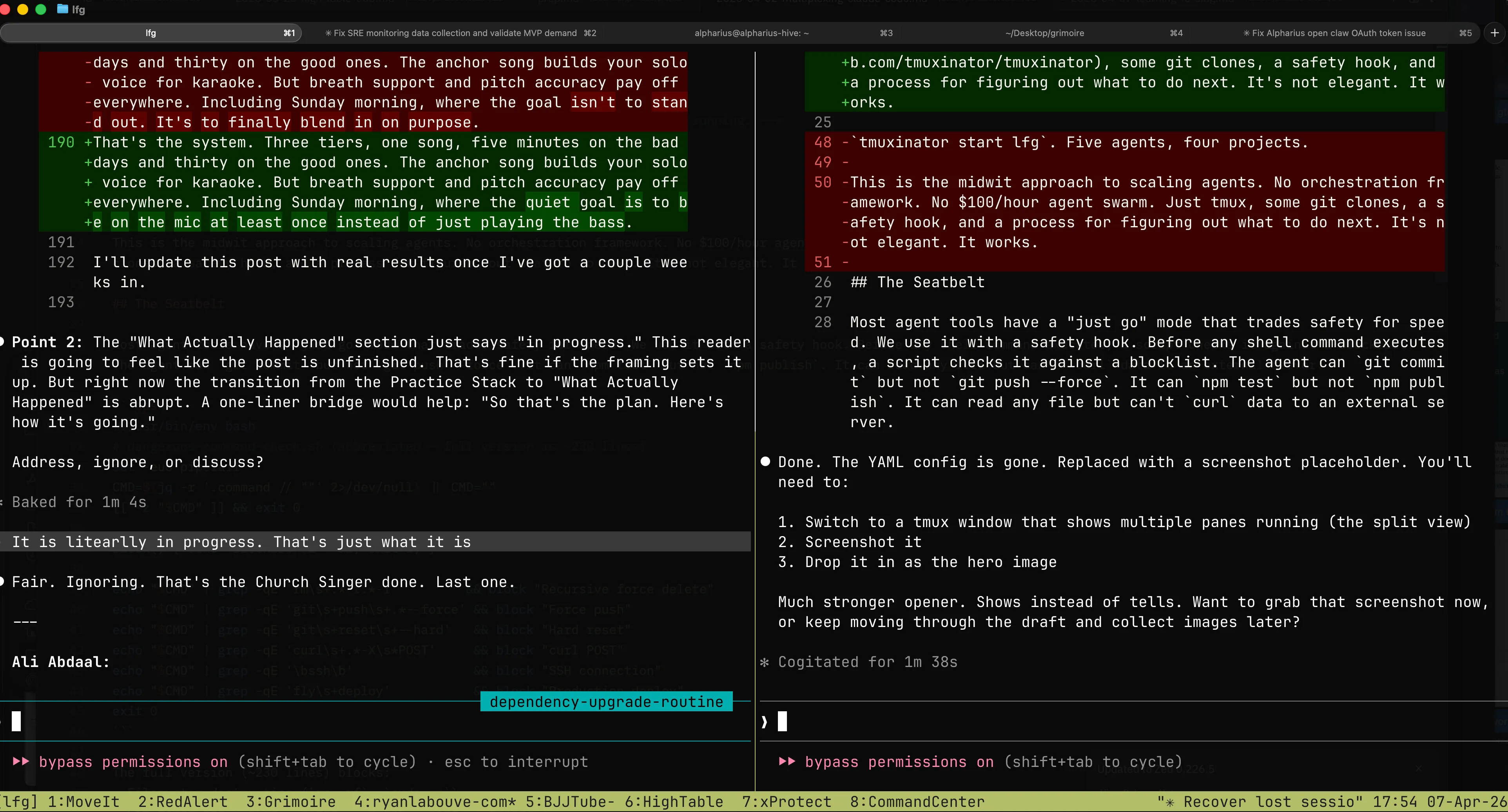
tmuxinator start lfg. Multiple agents, multiple projects, one command.
This is the midwit approach to scaling agents. No orchestration framework. No $100/hour agent swarm. Just tmuxinator, some git clones, a safety hook, and a process for figuring out what to do next. It’s not elegant. It works.
The Seatbelt
Most agent tools have a “just go” mode that trades safety for speed. We use it with a safety hook. Before any shell command executes, a script checks it against a blocklist. The agent can git commit but not git push --force. It can npm test but not npm publish. It can read any file but can’t curl data to an external server.
#!/usr/bin/env bash
# dangerous-command-check.sh (abbreviated -- full version is ~230 lines)
set -euo pipefail
CMD=$(jq -r '.command // ""' 2>/dev/null) || CMD=""
[[ -z "$CMD" ]] && exit 0

block() { echo "BLOCKED: $1" >&2; exit 2; }

echo "$CMD" | grep -qE 'rm\s+.*-r.*-f'         && block "Recursive force delete"
echo "$CMD" | grep -qE 'git\s+push\s+.*--force' && block "Force push"
echo "$CMD" | grep -qE 'git\s+reset\s+--hard'   && block "Hard reset"
echo "$CMD" | grep -qE 'curl\s+.*-X\s*POST'     && block "curl POST"
echo "$CMD" | grep -qE '\bssh\b'                && block "SSH connection"
echo "$CMD" | grep -qE 'fly\s+deploy'           && block "Production deploy"
exit 0
The full version (~230 lines) blocks:
- Filesystem destruction (
rm -rf,sudo rm) - Git force ops (
push --force,reset --hard,rebase) - Remote code execution (
curl | sh,eval,ssh) - Credential access (Keychain, AppleScript, env vars)
- Cloud deploys (Fly.io, EAS, Terraform)
- Data exfiltration (
curl POST,nc, gist creation)
Keys to the building. Locks on the server room. The implementation is Claude Code’s PreToolUse hooks, but the pattern works anywhere you can intercept commands before execution.
(Claude Code ships auto mode as a smarter alternative. In our testing it adds noticeable latency per tool call. Five agents in parallel, that adds up. Bypass + hooks is dumber and faster.)
For the full security architecture behind running agents with shell access, see the Growing Exoskeletons series.
Why Separate Clones
The community prefers git worktrees for parallel agents. We use separate clones. Worktrees share more than git history:
node_modulesand lockfile resolution- Port bindings
- Local databases
- Build cache
Separate clones share nothing. More disk, more syncing. Worth it when agents touch the runtime.
The Loop
Five agents running. Now what?
OODA is a decision loop from fighter pilot doctrine: Observe, Orient, Decide, Act. The faster you cycle, the more you ship.
- Observe. What’s the state right now? Automate this. If you’re running
git statusby hand, you’re the bottleneck. - Orient. What matters most? Without a tight mission per project, you’re orienting against vibes. We keep an
AGENTS.mdin each repo with the current goal, scope boundaries, and workflow rules. - Decide. Pick the next move. The human part.
- Act. Assign it. Should take seconds.
We built a skill to automate Observe and Orient so we spend our time on Decide and Act.
The loop also runs on itself. Which phase are you stuck in most often? That’s the bottleneck to automate next. The safety hook automated an Act problem. The /ooda skill automated an Observe problem. The feature pipeline automated a Decide problem.
The /ooda Skill
Runs per-project. Checks layers in order. Interrupts at the first one that has something.
- Uncommitted work. Clean your tree first.
- Pull. Sync before you pile on more work.
- Issue tracker. In-progress work to resume? Unblocked tasks? Blocked work you can unblock?
- Roadmap. Planned features waiting to be decomposed into tasks?
- Deep planning. Project is caught up. Time for roadmap planning, security review, bug smash, or UX audit.
A typical interrupt at layer 3:
3 unblocked tasks found. 1 in-progress (stale, no commits in 2 days). Highest priority: “Add webhook retry logic” (P1, unblocked). Recommendation: resume stale task or start P1. Your call.
Our implementation uses Claude Code, beads, and markdown roadmaps. Yours might use Cursor, Linear, and Notion. The layers translate. The order matters more than the tools.
Bottlenecks
Not a ladder. Walls you hit in whatever order your setup exposes them. Each one is a failure in one of the OODA phases.
- “I can only run one thing at a time.” (Act) Tmuxinator, more panes, more clones. The easy one.
- “Work collides.” (Act) Separate clones. Docker. Branch protection. Isolation as the default.
- “I don’t know how to break the work.” (Decide) The most important one. We use a skill pipeline:
brainstorm-feature(idea to validated spec) thenplan-feature(spec to tasks with dependencies) thenexecute-feature(tasks to parallel agents building). “Three focused agents outperform one generalist working three times as long.” - “Quality depends on me reviewing everything.” (Orient) Faros AI tracked 10,000+ developers: 98% more PRs, 91% longer review times. Better specs up front mean faster review.
- “I stall between cycles.” (Observe) The OODA gap. The skill exists to close it.
What’s Still Rough
The /ooda skill is new. The feature lifecycle skills are being generalized. The “what next” moment is still partly intuition.
That’s the midwit deal. You don’t wait for the perfect system. You find the current bottleneck, duct-tape a fix, and look for the next one. The operation gets better every loop. Some of the duct tape becomes real infrastructure. Some of it gets ripped out. You ship either way.
If you take one thing from this: start with the safety hook. Everything else is optional until you need it.